Case Study
THINGS ARE GETTING DIGITAL IN THE HANSEATIC CITY
AS PART OF THE DIGITALISATION STRATEGY, NORDWASSER GMBH FROM ROSTOCK IS USING THE NAVA APP TO MEASURE PROPERTY CONNECTIONS.
DIGITALISATION OF THE HOUSE CONNECTION SURVEY
The Nordwasser GmbH carries out around 800 construction measures per year with approximately 1,000 measurements of property connections. As it is common with many network operators, this process was previously manual and form-based with only little system support. The path of the measurement results led via media breaks and took thus a lot of time. Forms were filled out manually, measurements were documented on paper, scanned, and emailed or even sent by courier. In the technical documentation, further manual steps were added until the “ideal state“ was finally achieved in the GIS. Digitisation was obvious; the implementation of digital processes and structures is an essential field of action of the municipal company. This is where the NAVA app came into play. It became an important digital component in the construction of property connections and an accelerator of the overall process involving different departments and locations.
“WITH THE INTRODUCTION OF NAVA, WE REDUCE THE BUREAUCRATIC EFFORT IN THE PROCESS BY APPROXIMATELY 50%.”
Stefan Hammann (Nordwasser GmbH)
HIGH DEMANDS ON THE SOFTWARE
Before the system was introduced, the market was sounded out against the background of carefully recorded requirements. Nordwasser’s technical documentation department provided expertise in all GIS issues. Stefan Hammann – head of this department – played a key role in the introduction of the system: “We coordinated our requirements across departments. Also involved were the connection department with the property clerks, the network construction department with the foremen and field engineers as users of the app, and the IT applications department, which is responsible of the topics of system integration and mobile device management.“ In the subsequent tender, the project partners ESN and Mettenmeier had to prove with NAVA that they fulfilled the formulated specifications: NAVA scored well in important criteria such as the “representation of the existing workflow“ and the “operation by clerks in the connection system“ with easily configurable order templates and component catalogues. For example, the relevant GIS fields were matched with representative sketches and set up. Important fields were also added for the assignment of orders and tasks to the property clerk and the ERP system “kVASy”. “By this, we wanted to ensure that we maintained best working practices while fully digitising the process.” says Hammann. In the NAVA Manager, the clerk creates an order for each house connection request and transmits it at the push of a button either to the NAVA app of Nordwasser’s field engineers or, in the future, to a service provider.
SURVEYING WITH SMARTPHONES – DONE BY THE FIELD ENGINEERS
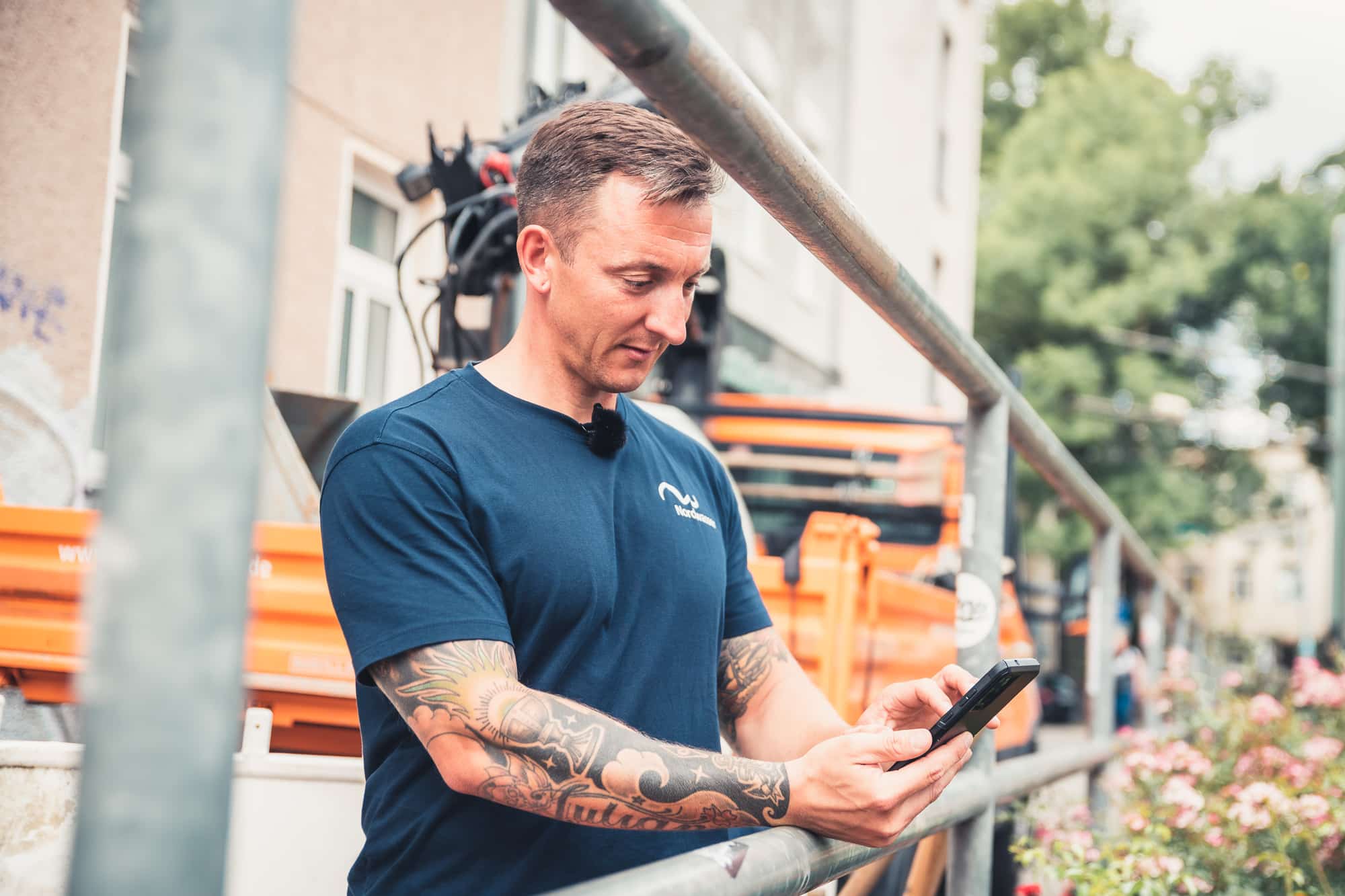
After the property connection has been laid, the field engineer works through all the other steps on site with the app: capturing object data such as material or dimensions, filling out form fields in the field book, photographing meter readings and components and, last but not least, recording the measurement data and drawing up the sketch. To do this, he first captures clear reference points (vanishing point, zero point) for the measurement sketch, for example the corners of buildings or objects already documented in the GIS, such as shafts. The field engineer then measures the components, starting with the valve clamp or the water branch, through the complete pipe run with its bend points, to the house entry. In the final check mode, the app validates the points and transfers them to a sketch with automatic orthogonal dimensioning and absolute georeferencing by the field engineer. The course of the pipe is additionally visualised via photos taken during the measurement and assigned to the components.

Photos: Nordwasser
FROM THE CONSTRUCTION SITE VIA INTERFACE DIRECTLY INTO THE GIS
The Smallworld interface plays a central role in the integration of upstream and downstream systems. As soon as the field engineer has measured the property connection using mobile end devices, a continuous digital process starts that extends into the GIS. Because NAVA as a cloud solution automatically synchronises between the construction site and the office, all recorded order information is also immediately available in the NAVA Manager in the office and is transferred to the Smallworld GIS via the interface. The technical documentation then georeferences the order using the reference points in the GIS and converts the measured components into the correct object lasses using the object data contained in the 3D points. The sketch is fitted to the zero point and the alignment by means of translation and rotation to transfer the entire house connection into the GIS database. In this way, Nordwasser is now able to capture the property connections very efficiently in the GIS. “With the introduction of NAVA, we are reducing the overall bureaucratic effort in the process by about 50%.” Stefan Hammann is happy to say. ”This includes inefficient activities such as copying, punching, scanning, forwarding or multiple saving, but also queries about hand sketches or missing measured values.“
SMALLWORLD INTERFACE – PROJECT PARTNERS
ESN AND METTENMEIER WORK HAND IN HAND
The interface transfers the measured sketches with all components, photos, and PDF documents into the GIS where they are georeferenced with a few mouse clicks and saved with all component data in the Smallworld database “3D Measurement”, which is part of the 3D model of the interface. The subsequent constructional work is done automatically by the interface. ESN and Mettenmeier promptly implemented the interface adaptations requested by Nordwasser. They ensure the compatibility of all NRM provided by ESN and are common basis for both manual and automated further processing or object creating in the GIS.
CONVINCING ACCURACY
The accuracy of the measurements was also high on the list of requirements. Because this heavily depends on the hardware used with the NAVA app, Nordwasser commissioned a test beforehand in which several smartphone models were compared with each other. The decision was made in favour of the Samsung Galaxy S20+, which remains well the famous spade width with a few centimetres deviation from the tachymetric measurement. Nordwasser’s own field tests also confirmed the good measurement results of the device, for which Metttenmeier assures NAVA support as part of the maintenance. The app‘s integrated quality assurance also contributes to the accuracy of the measurement. “Using a traffic light system, the field engineer can already see on site whether the app’s internal model has sufficient data for an accurate measurement.” explains Stefan Hammann. “Another factor is the training of the employees because the reference points and the course of the pipeline should be precisely aimed at.“ In the GIS, the accuracy then becomes apparent, for example, when comparing the NAVA sketch with existing shaft coordinates measure by tacheometry. The orientation on existing reference points has another advantage: “With NAVA, we are now able to incorporate building connections in new development areas accurately into the GIS before the official ALKIS data on the properties are available.“
WASTEWATER PROPERTY CONNECTIONS IN FOCUS
The next sub-project has already started with the surveying of wastewater property connections. With the help of representative connection sketches and the proven NAVA configuration from the drinking water sector, Nordwasser has already worked out the differences. This delta provides the essential requirements for the wastewater configuration in the NAVA Manager, especially for the order template with its header data and the field book entries as well as the component catalogues and component forms. Nordwasser was already able to solve these adaptations with simple system configurations by trained specialist personnel. The NAVA interface to the GIS requires even less effort because it is already prepared by default for the use of other NRMs such as wastewater. In the future, it is also planned to replace the paper-based damage report with digital NAVA forms. This concerns about 250 repairs to drinking water pipes per year, including subsequent surveying. In addition, missing objects such as manholes or hydrants will be measured, and the results will also be transferred to the GIS via an interface.
Contact Persons
Theresa Rockel
ESN EnergieSystemeNord GmbH
Phone: +49 4307 821-261
theresa.rockel@esn.de
Joachim Magiera
Mettenmeier GmbH
Phone: +49 5251 150-528
joachim.magiera@mettenmeier.de